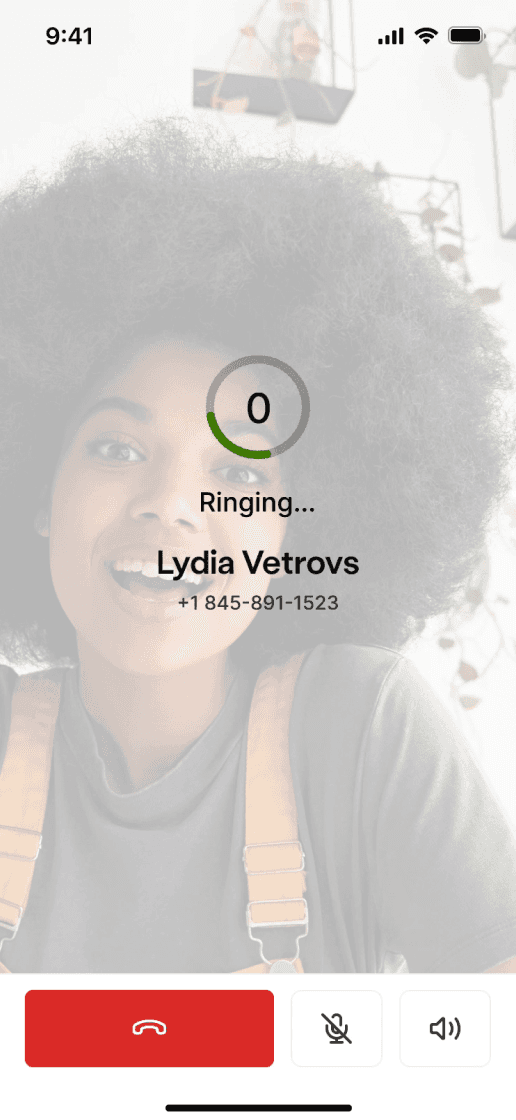
IMPACT

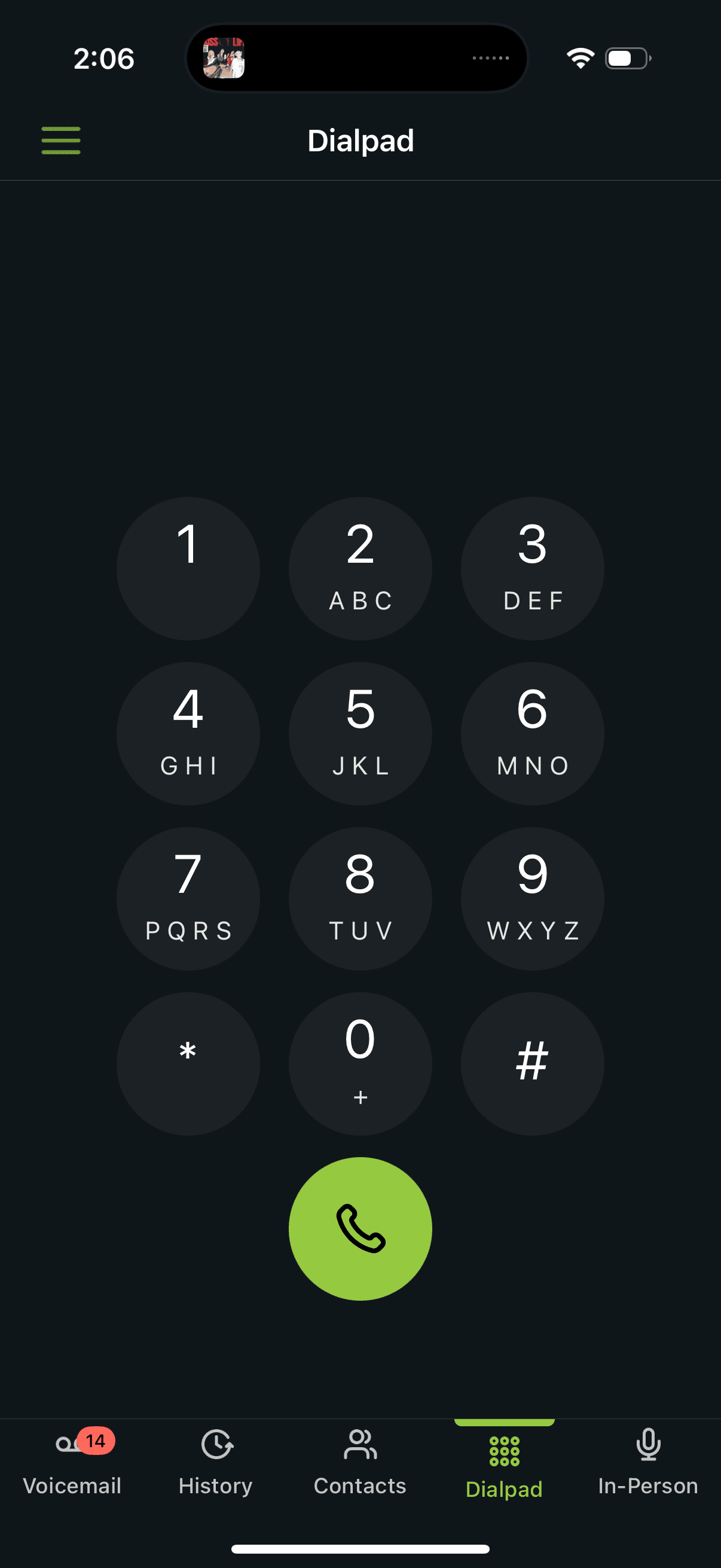
Since shipping, haptic ringing has been continuously used by 95% of our user base.

I. Background

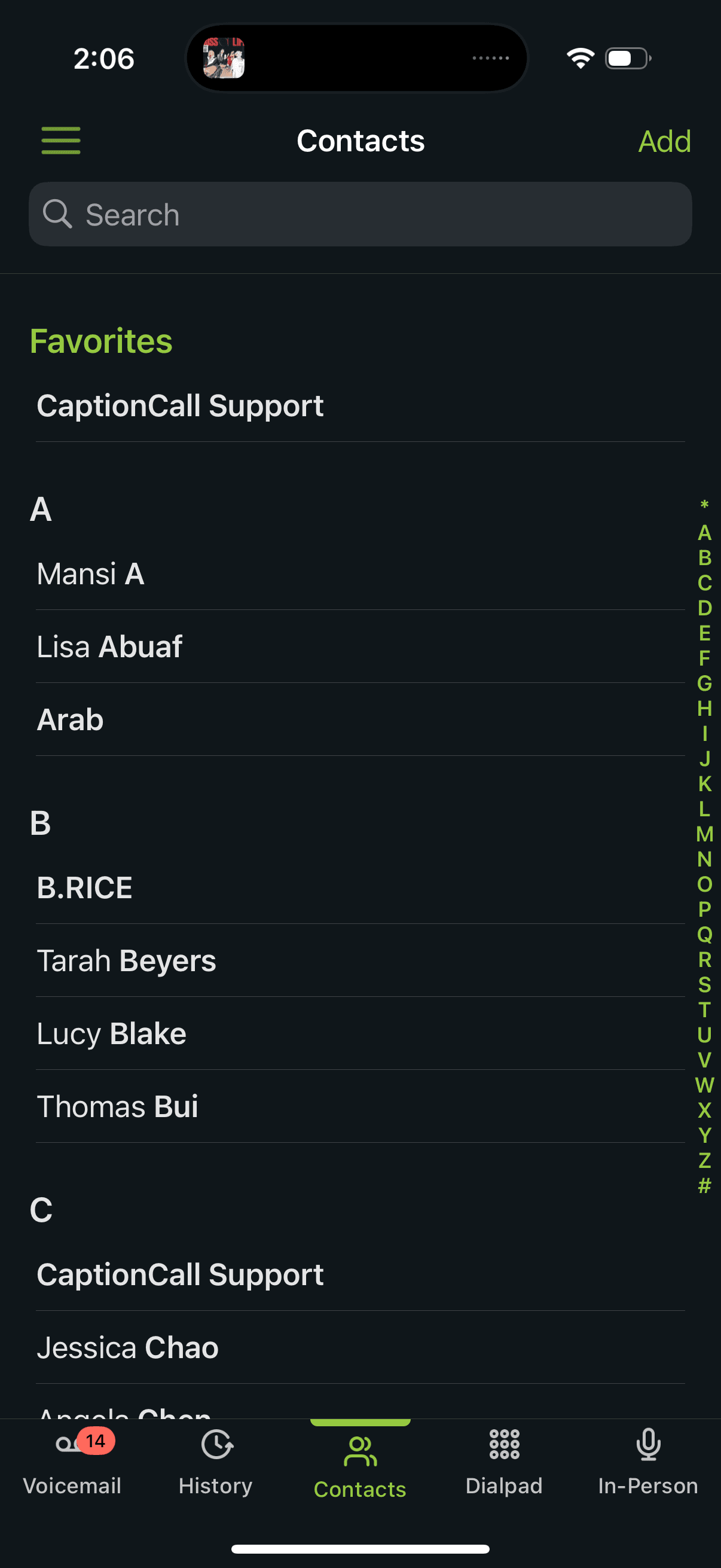
CaptionCall is a mobile app exclusively for hard of hearing and deaf individuals.

THE APP

CaptionCall is a telecommunications app that enables over 800K+ individuals with hearing loss to make calls comfortably with real-time transcriptions.

APP VALUE

The app provides real-time captioning to phone calls, and allows users to save transcripts if they need to.

USER BASE

Our user base is 800,000 hard-of-hearing and deaf individuals. Notably, 50% of our user base is 50 years or older.

Shelby, 70

HARD OF HEARING

PROBLEMS:

  • Has hearing loss and it impacts his daily life

  • Can’t hear most sounds now and requires a hearing aid

  • Not very tech savy

  • Often misses words or misinterprets them during voice calls, especially if the speaker talks fast or there’s background noise.

  • Sometimes feels isolated or embarrassed asking people to repeat themselves.

WANTS & NEEDS:

  • Enjoys staying in touch with family via phone and video calls.

  • Stay socially connected and independent without needing constant help from family.

  • Understand phone conversations clearly to avoid miscommunication or embarrassment.

  • Use technology without feeling overwhelmed or confused.

II. Problem

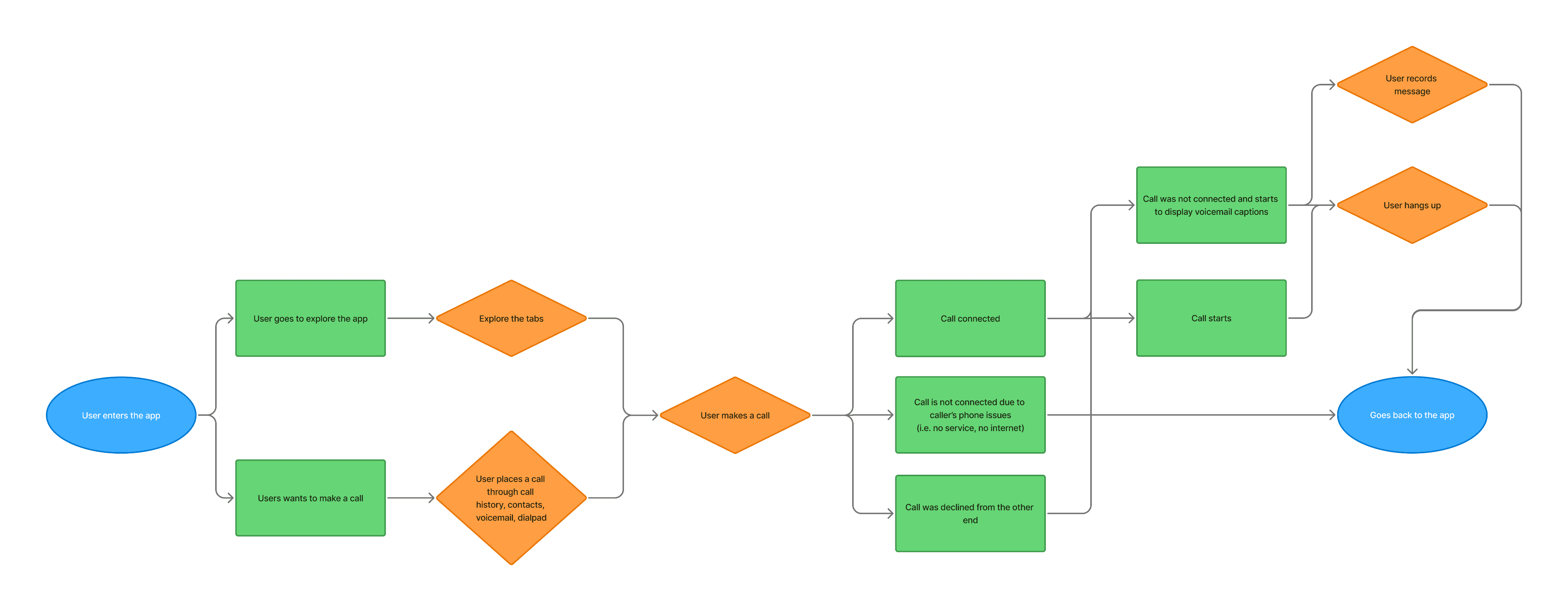
USER FLOW

Through mapping the user experience of the current outgoing call experience, we found that users could not determine the status of the call (i.e. connecting, connected to call, or declined to voicemail).
III. Pain Point

Our deaf users want more context of what is going on when making calls

In our sister product, nTouch—a telecommunications service specifically for the Deaf—we show how many rings a call has been ringing. This helps users gauge how long it’s taking for someone to answer.
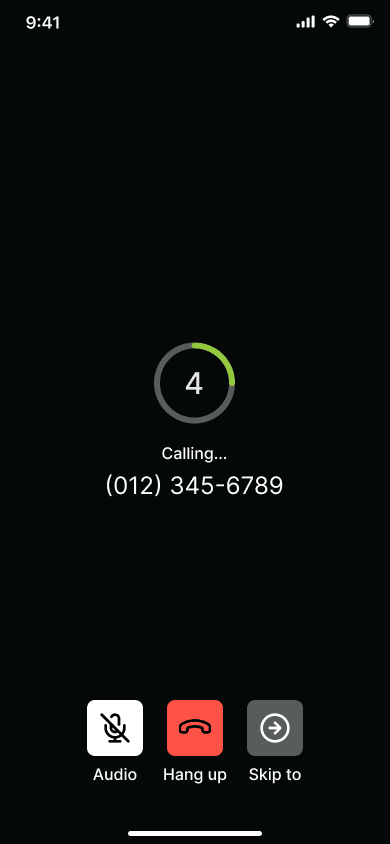
Our sister product (ntouch)'s Outgoing Call Experience

Users want to know how long the call has being ringing

Because they are unable to hear rings, they cannot anticipate whether or not the call will be sent to voicemail or not.
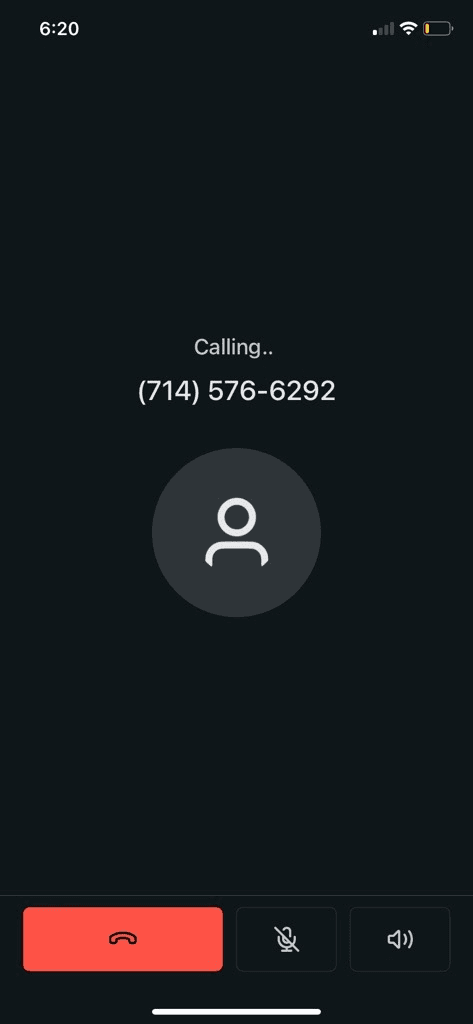
Screenshots of when the call does connect, but it goes to voicemail.

HOW MIGHT WE

How might we provide clear and accessible live feedback to deaf or hard-of-hearing users during a call to indicate that the connection process is in progress?

How might we provide clear and accessible live feedback to deaf or hard-of-hearing users during a call to indicate that the connection process is in progress?

How might we provide clear and accessible live feedback to deaf or hard-of-hearing users during a call to indicate that the connection process is in progress?

IV. Alignment with Devs

DEV FEASIBILITY

Utilizing vibrations, we can provide haptic feedback for the rings during the outgoing call, similarly to how our sister product does it.

Utilizing vibrations, we can provide haptic feedback for the rings during the outgoing call, similarly to how our sister product does it.

CALL STATUSES OF AN OUTGOING CALL

Devs stated that there are 3 different states: connecting, ringing, answered/voicemail.

Devs stated that there are 3 different states: connecting, ringing, answered/voicemail.

Connecting

Before the call is connecting

Ringing

The call is connected but the other end is not answering

Connected

Other end has picked up or call goes to voicemail

HOW MIGHT WE

How might we utilize tactile and visual cues to communicate call status to users who can't hear ringing?

How might we utilize tactile and visual cues to communicate call status to users who can't hear ringing?

How might we utilize tactile and visual cues to communicate call status to users who can't hear ringing?

V. Design Iterations

DEV RESTRICTIONS

I prioritized consistency with the current experience, keeping changes minimal to meet the expectations of both users and developers. My focus was on enhancing, not disrupting.

I prioritized consistency with the current experience, keeping changes minimal to meet the expectations of both users and developers. My focus was on enhancing, not disrupting.

Need to include the contact photo

Need to include the phone number/contact name

Need to include the contact photo

Need to include the phone number/contact name

FIRST ITERATION

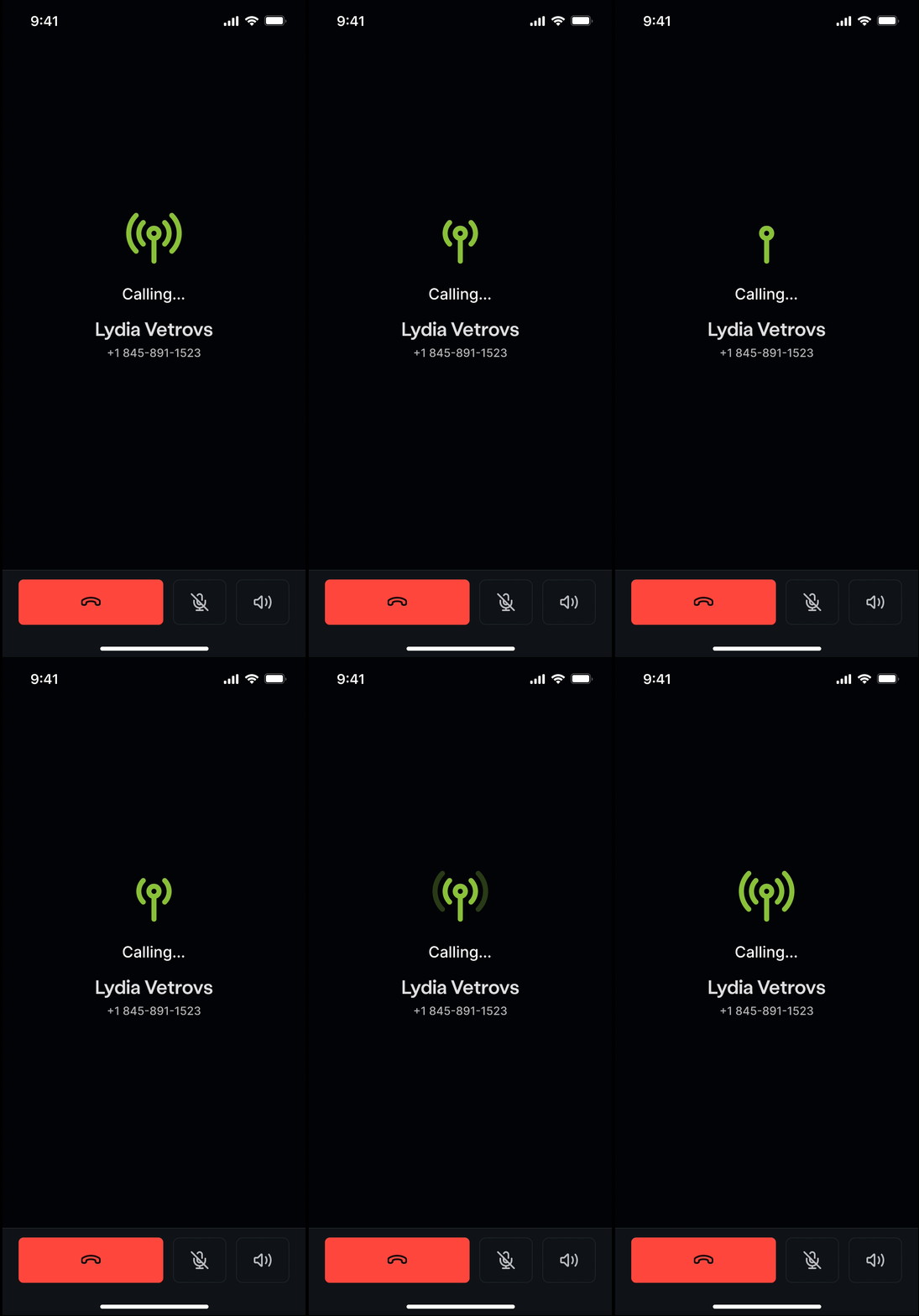
Using the existing nTouch (app for the deaf to communicate with/ interpreters and hearing) design as a foundation, I experimented with different ways to visually represent the “rings,” while also integrating haptic feedback to signal each count increase.

Using the existing nTouch (app for the deaf to communicate with/ interpreters and hearing) design as a foundation, I experimented with different ways to visually represent the “rings,” while also integrating haptic feedback to signal each count increase.

Version A

Separate the number of rings and the contact photo

Connecting....

Connecting....

Lydia Vetrovs

Lydia Vetrovs

+1 845-891-1523

+1 845-891-1523

Version B

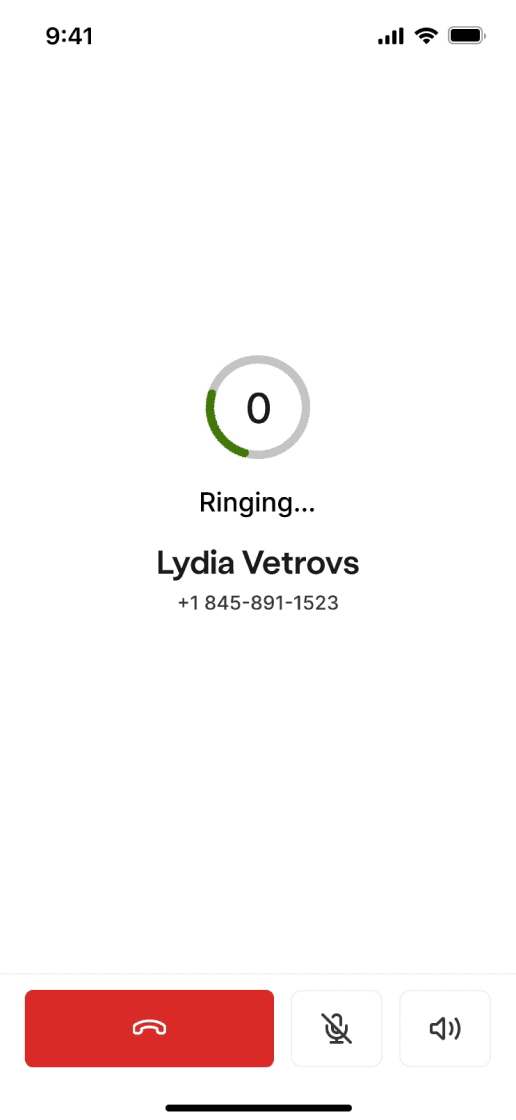
Replacing the contact photo with a loading circle

Ringing...

Ringing...

+1 845-891-1523

+1 845-891-1523

4

4

Version C

Try out different versions to show connection based on phone apps

4

4

Ringing...

Ringing...

+1 845-891-1523

+1 845-891-1523

+1 845-891-1523

+1 845-891-1523

ITERATIONS TO USER TEST

I landed on these three designs because I wasn't certain which design would resonate most clearly with users to notify them of the outgoing call statuses.

I landed on these three designs because I wasn't certain which design would resonate most clearly with users to notify them of the outgoing call statuses.

Version A

Version A

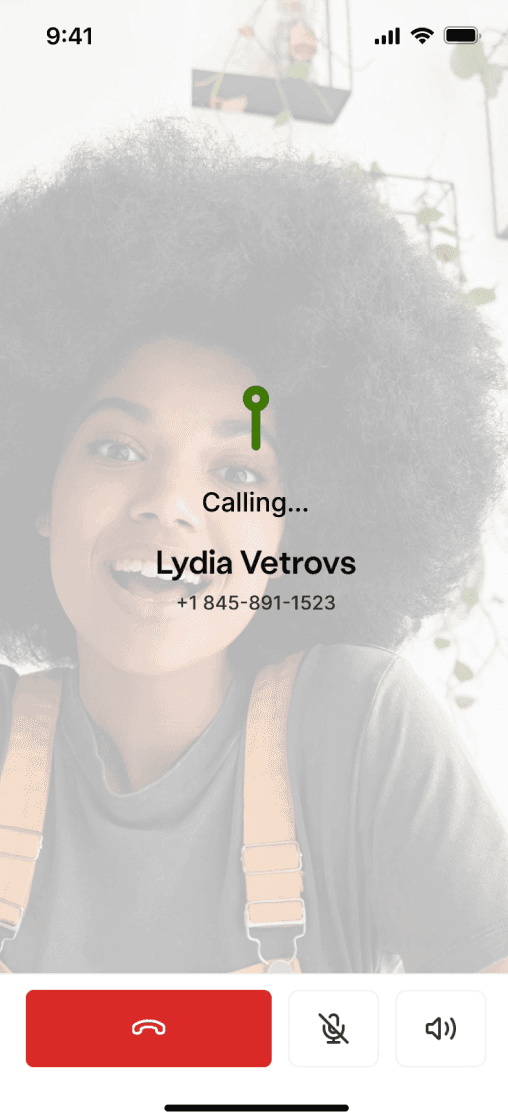
Full screen with icons that signify different states. Photo is full BG

Full screen with icons that signify different states. Photo is full BG

Version B

Version B

Audio like connecting and transitioning to ringing experience

Audio like connecting and transitioning to ringing experience

Version C

Version C

Loading circle with number of rings displayed on top of the contact photo

Loading circle with number of rings displayed on top of the contact photo

V. User Testing

TESTING ON MAZE

We ask 12 people (internal employees, hard-of-hearing individuals, and customer support) for their thoughts.

We ask 12 people (internal employees, hard-of-hearing individuals, and customer support) for their thoughts.

FINAL DESIGN

Version A won! The clear change in icons effectively conveyed the status of the outgoing call to users.

Version A won! The clear change in icons effectively conveyed the status of the outgoing call to users.

I realize with this design, there is a connecting phase that doesn’t mean it made the call yet, and then it starts ringing.”

- Internal Employee, 56

I think this full background will get really funny with certain profile pictures.”

- Internal Employee, 45

This is really clear on there is things happening.”


- Customer Support,43

You would know when a call is connected and when it is ringing.”

- Internal Employee, 64

I think this full background will get really funny with certain profile pictures.”

- Internal Employee, 45

I think the change of icon is shocking and really draws your attention.”

- Customer Support, 62

This is really clear on there is things happening.”


- Customer Support,43

I think the change of icon is shocking and really draws your attention.”

- Customer Support, 62

You would know when a call is connected and when it is ringing.”

- Internal Employee, 64

I liked you can see the number of rings and it gives you an indicator that your call is connected.”

- Internal Employee, 48

I liked you can see the number of rings and it gives you an indicator that your call is connected.”

- Internal Employee, 48

HANDOFF

The final design that was sent off to the devs.

Dark

Light

Contact Photos

No Contact Photos

11:04 AM

Lorem ipsum dolor sit amet, consectetur adipiscing elit.

11:04 AM

Lorem ipsum dolor sit amet, consectetur adipiscing elit.

11:04 AM

Lorem ipsum dolor sit amet, consectetur adipiscing elit.

11:04 AM

Lorem ipsum dolor sit amet, consectetur adipiscing elit.

HANDOFF

The final design that was sent off to the devs.

Dark

Dark

Dark

Light

Light

Light

Contact Photos

Contact Photos

Contact Photos

No Contact Photos

No Contact Photos

No Contact Photos

11:04 AM

11:04 AM

11:04 AM

Lorem ipsum dolor sit amet, consectetur adipiscing elit.

Lorem ipsum dolor sit amet, consectetur adipiscing elit.

Lorem ipsum dolor sit amet, consectetur adipiscing elit.

11:04 AM

11:04 AM

11:04 AM

Lorem ipsum dolor sit amet, consectetur adipiscing elit.

Lorem ipsum dolor sit amet, consectetur adipiscing elit.

Lorem ipsum dolor sit amet, consectetur adipiscing elit.

11:04 AM

11:04 AM

11:04 AM

Lorem ipsum dolor sit amet, consectetur adipiscing elit.

Lorem ipsum dolor sit amet, consectetur adipiscing elit.

Lorem ipsum dolor sit amet, consectetur adipiscing elit.

11:04 AM

11:04 AM

11:04 AM

Lorem ipsum dolor sit amet, consectetur adipiscing elit.

Lorem ipsum dolor sit amet, consectetur adipiscing elit.

Lorem ipsum dolor sit amet, consectetur adipiscing elit.

Currently Live!

95%

of all users utilize feature

VIII. Retrospective

WHAT I LEARNED

QA testing, AB Moderated Testing, Communicating guidelines with Devs

RETROSPECTIVE

Establish a relationship with the developers without using the Product Manager to mediate between us.