CaptionCall
Mobile App
Streamlining the Call History experience
Role
Design Lead
Timeline
1 Month
Tools
Maze
Figma
Pendo
Format
Mobile
Collaboration
PM
Developers
Customer Support
IMPACT
Increased call rates by 15% and grew clicks by 30%

I. Background
CaptionCall is a mobile app exclusively for hard of hearing and deaf individuals.

THE APP
CaptionCall is a telecommunications app that enables over 800K+ individuals with hearing loss to make calls comfortably with real-time transcriptions.

APP VALUE
The app provides real-time captioning to phone calls, and allows users to save transcripts if they need to.
ABOUT OUR USER BASE
Our user base is 800,000 hard-of-hearing and deaf individuals. Notably, 50% of our user base is 50 years or older.
Harry, 70
HARD OF HEARING

PROBLEMS:
Has hearing loss and it impacts his daily life
Can’t hear most sounds now and requires a hearing aid
Not very tech savy
Often misses words or misinterprets them during voice calls, especially if the speaker talks fast or there’s background noise.
Sometimes feels isolated or embarrassed asking people to repeat themselves.
WANTS & NEEDS:
Enjoys staying in touch with family via phone and video calls.
Stay socially connected and independent without needing constant help from family.
Understand phone conversations clearly to avoid miscommunication or embarrassment.
Use technology without feeling overwhelmed or confused.
II. Problem
THE PROBLEM
The call history tab is not intuitive for users, resulting in a less seamless app experience.
Deaf & Hard of Hearing
700k+ users
Users were not able to make simple actions (i.e. blocking, instant call, create new contact)
Company
Friction of experience reduces customer satisfaction, and increases chances of user switching to our competitors.
CURRENT EXPERIENCE
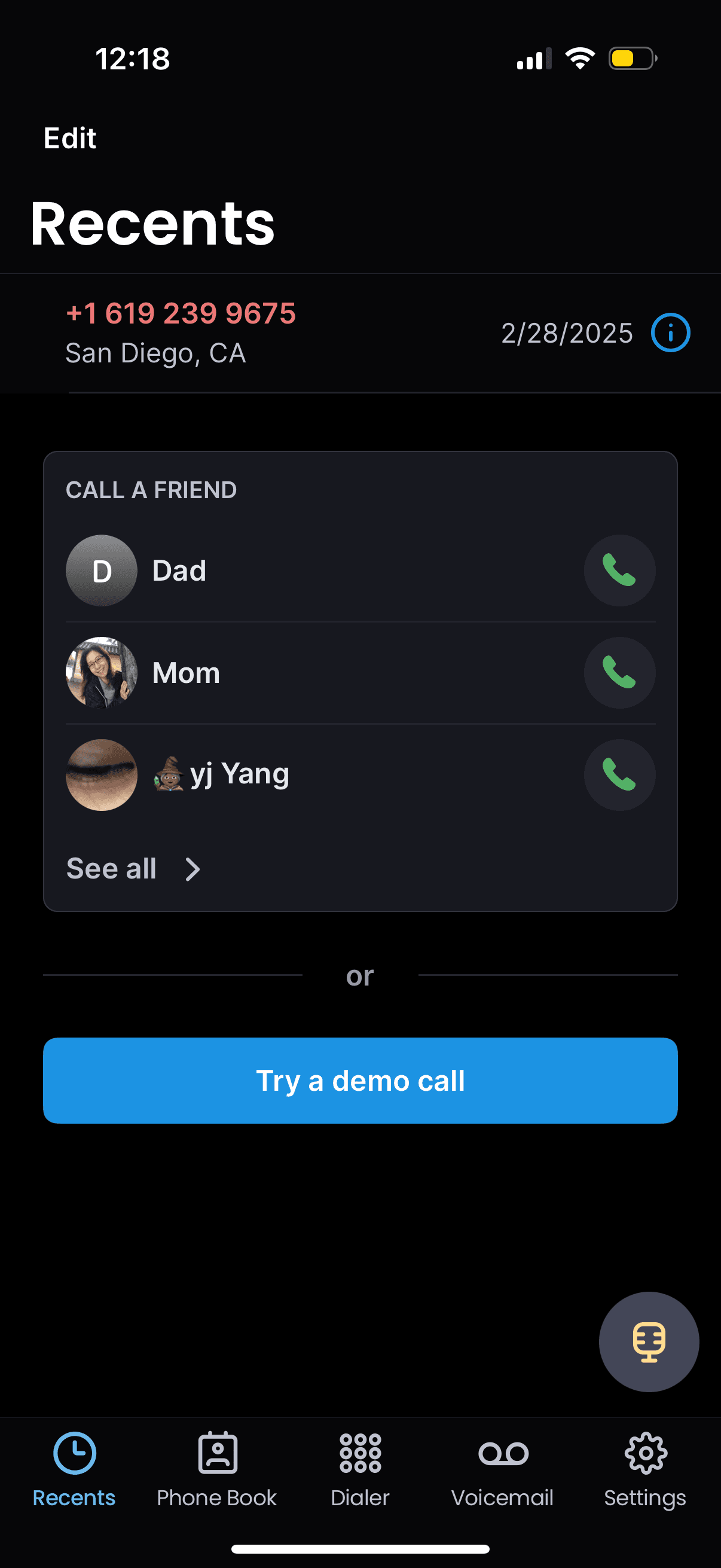
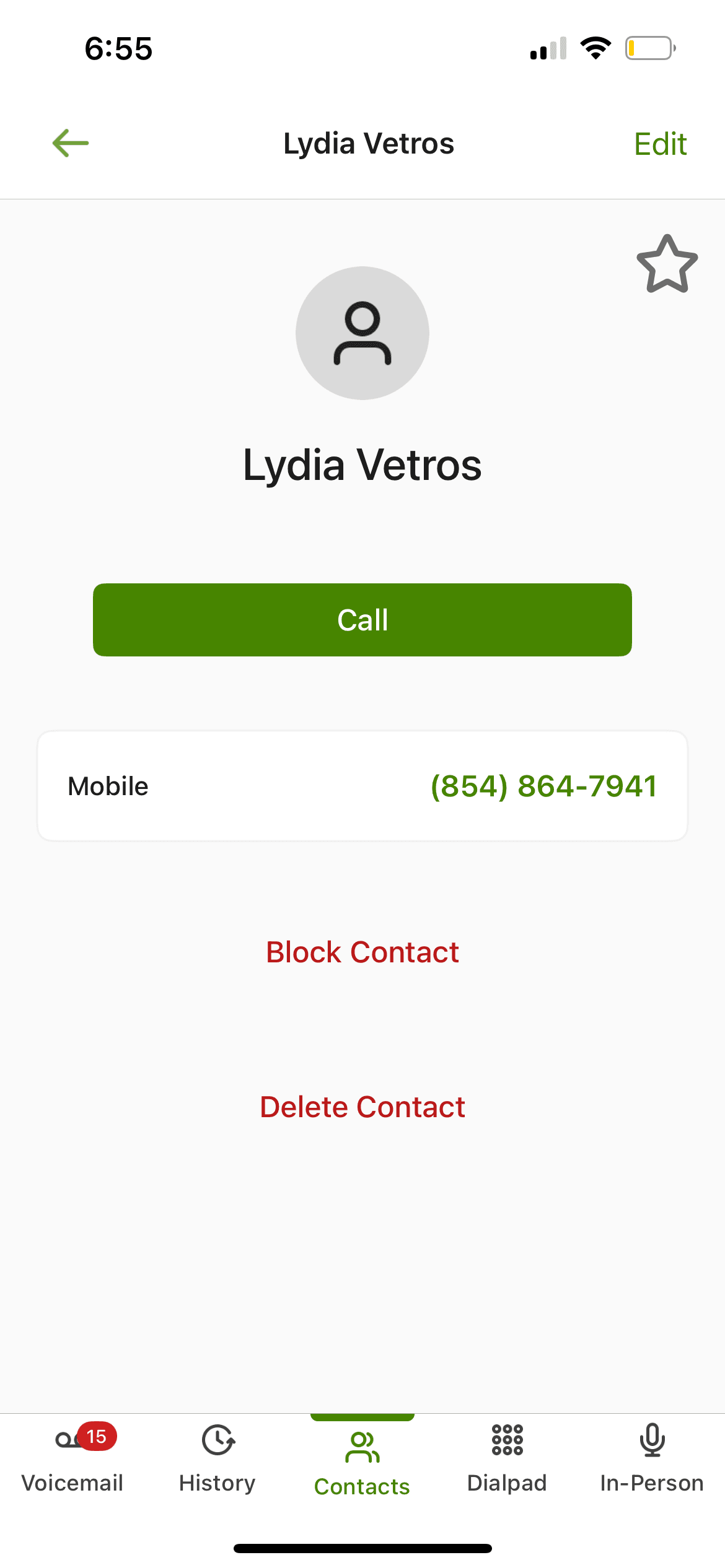
A recording of all experiences on the call history tab. This includes opening a side menu, viewing call details, making calls, and pressing edit.

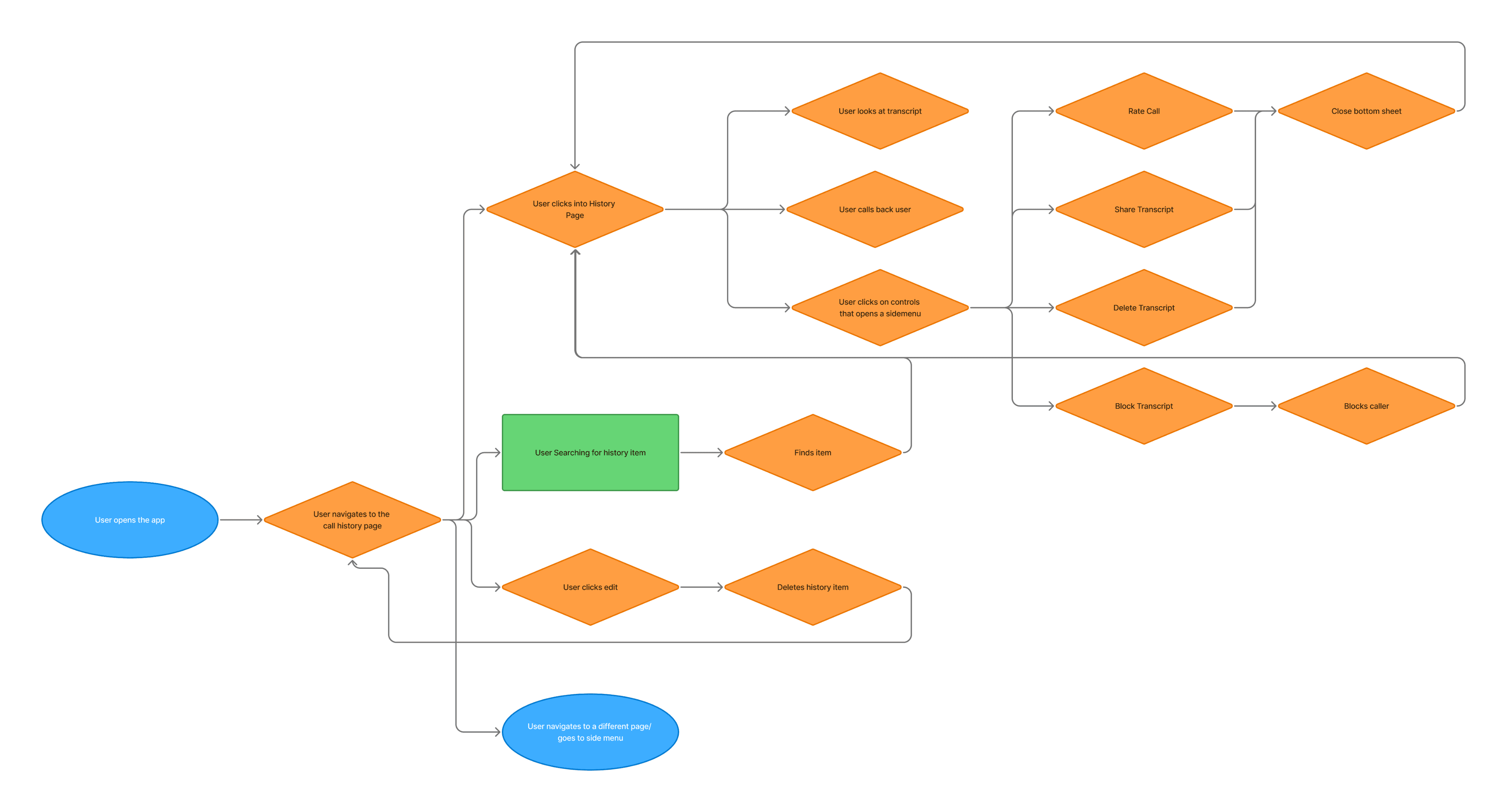
USER FLOW
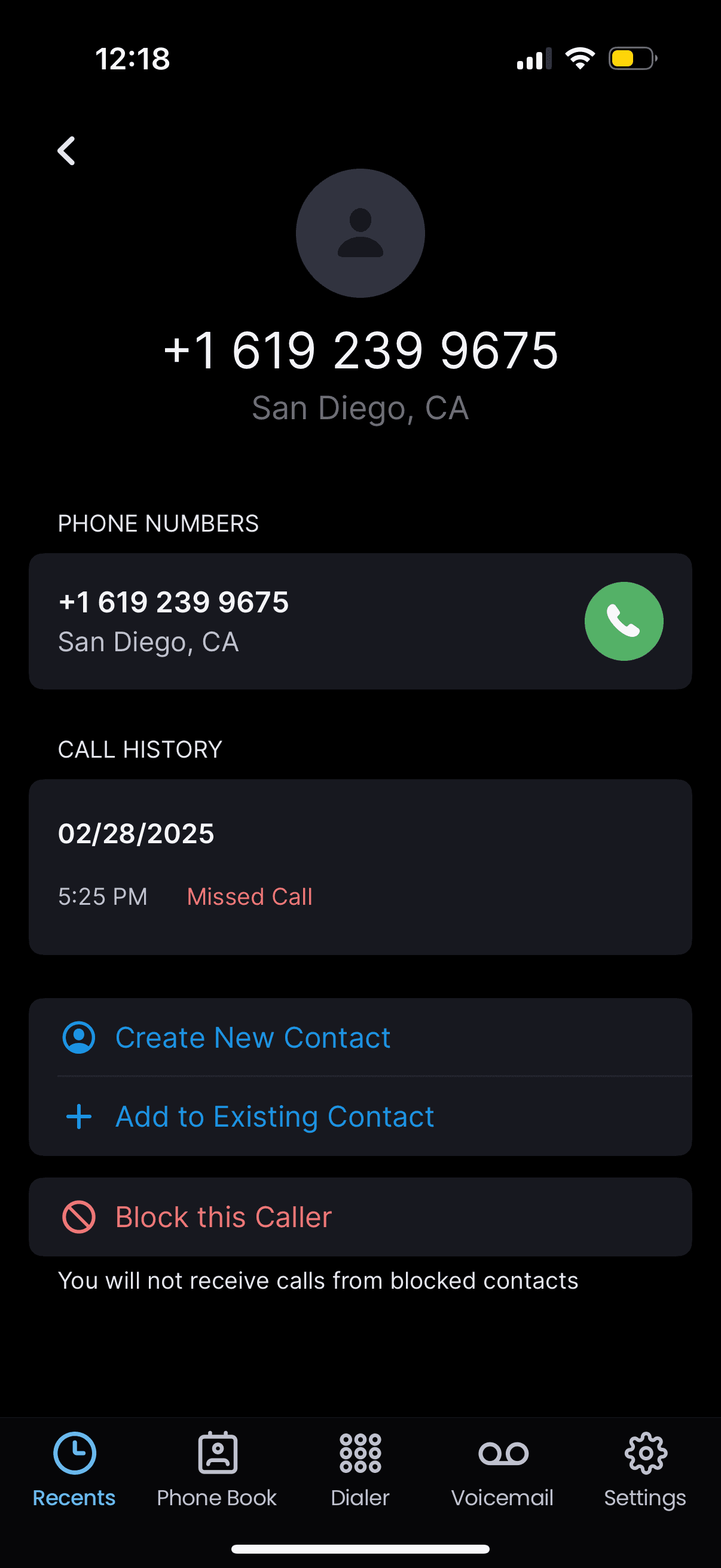
Through mapping the user experience of the current call history, we learned that users were struggling to take quick actions (i.e., calling, blocking, and adding a new contact).
III. Pain Point
After doing exercises with user flows and looking at the screens, here are some problems listed out.
Unable to save contacts directly from the history page.
Currently, saving contacts is only possible through the Contacts tab. Users must first remember or note the number from the History page by adding unnecessary friction to a basic task.

Blocking a number via the bottom sheet is not easily discoverable
Only 0.4% of daily users access the call history controls, suggesting that the bottom sheet and its features—like sharing transcripts, rating calls, deleting transcripts, or blocking numbers—are not well discovered.

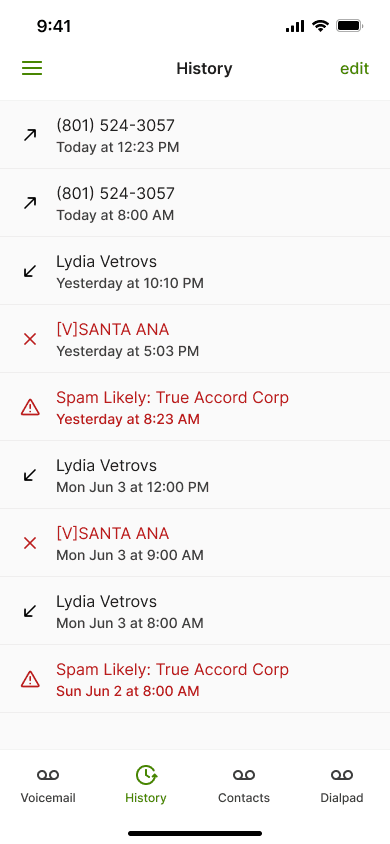
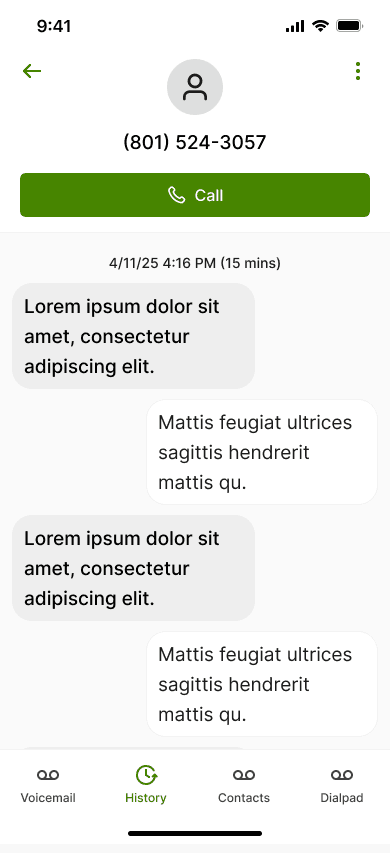
A barrier to place calls quickly
Currently, users can return calls only by visiting the call details page. Google Analytics data shows that 76.5% of users who visit this page tap “Call,” and they spend an average of 5 minutes there—likely reviewing the transcript.
Given this behavior, should we explore making both the “Call” button and the transcript more easily accessible?
49% of our audience is over 50
Considering our older user base, we strive to roll out this change without causing confusion or frustration, ensuring a seamless transition.
HOW MIGHT WE
V. Competitive Analysis
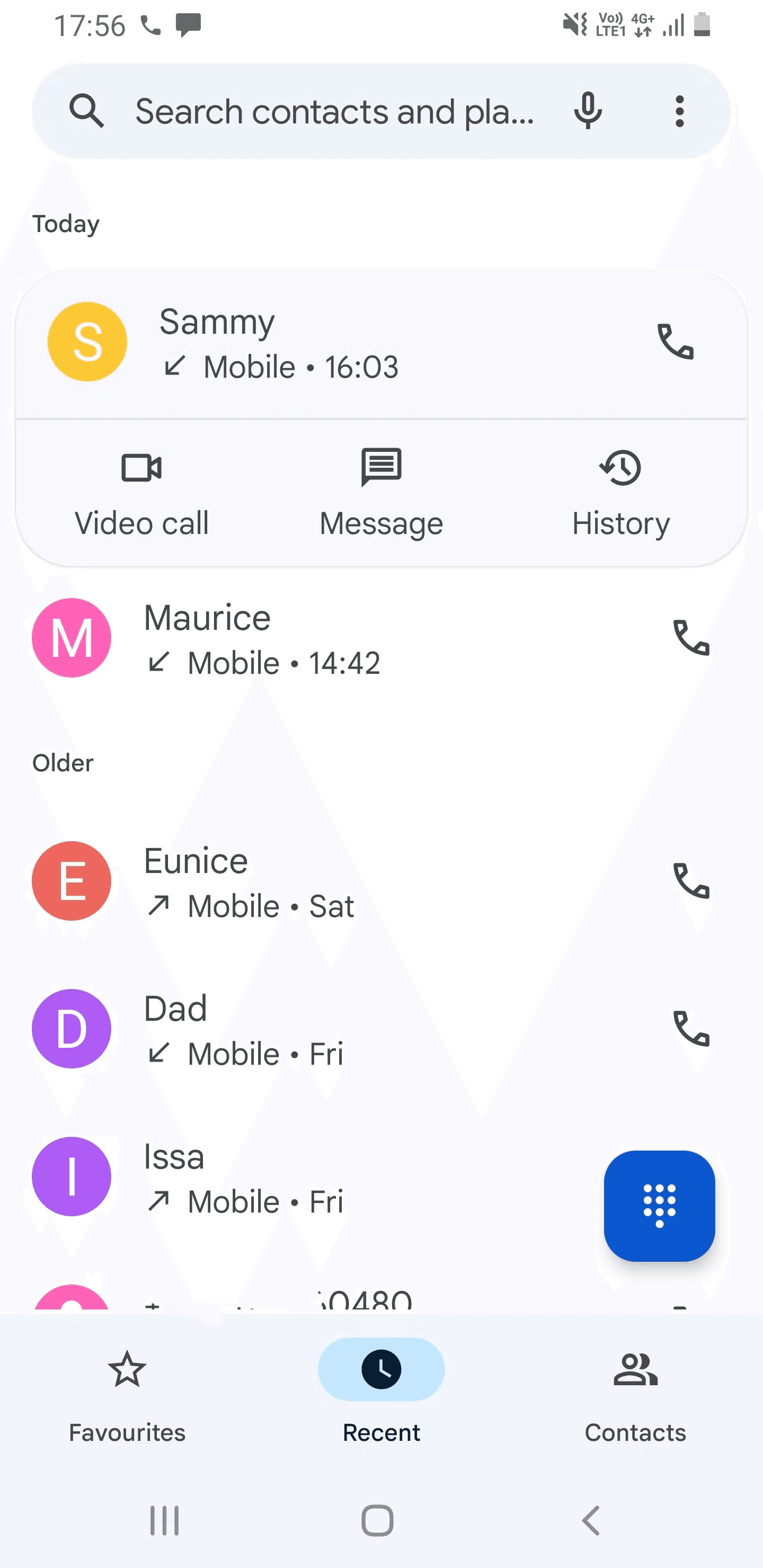
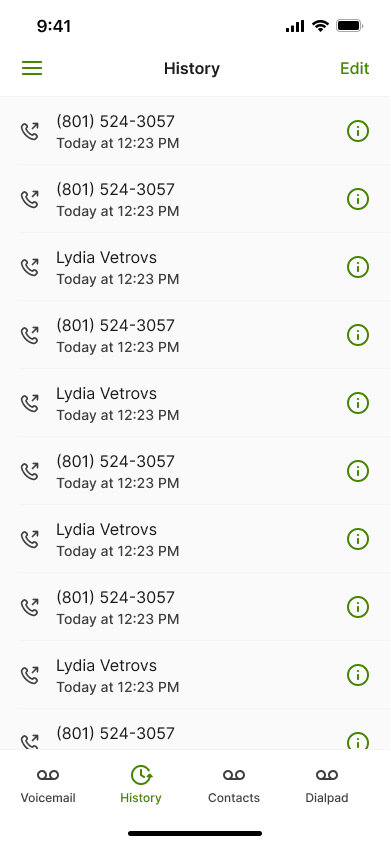
Looking at other calling applications, there are two design styles I found; one following Android conventions and the other based on iOS.
Android Experience
This is what Android users experience on their call history
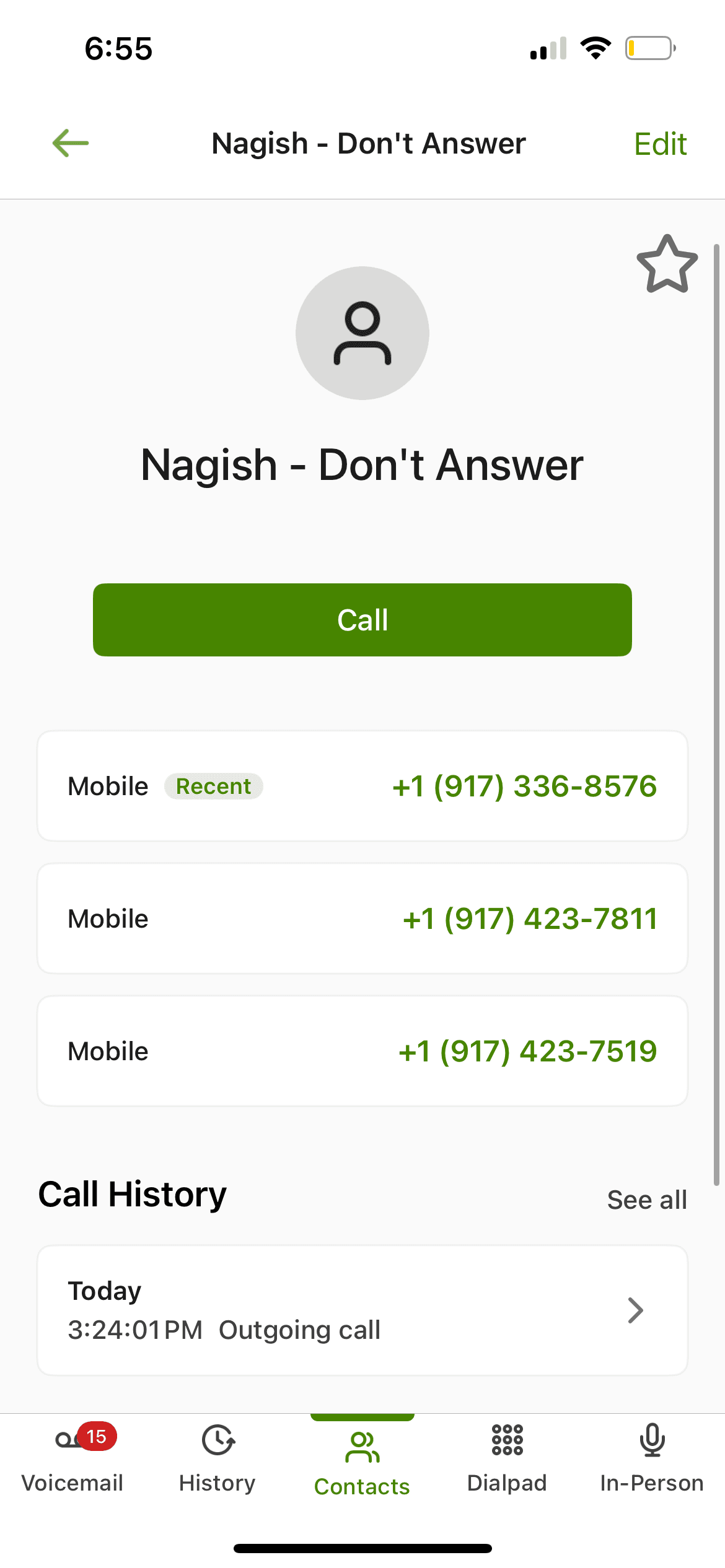
iOS Experience
Our top competitor, Nagish, and they mimic IOS design


The “i” icon was replicated to navigate users to caller details, alongside enabling one-tap calling.


VI. Design
DESIGN ITERATIONS
Tried to keep the same design component style, while providing as much functionality as possible

Following discussions with stakeholders, I selected three designs to move forward for initial user testing.

Option #1 - CURRENT 2.0
By deviating from the existing design, we avoided a learning curve but accepted that discoverability might be lower.

Option #2 - ANDROID
While enabling fast actions on the spot, this design could cause users to face a high learning curve and experience decision fatigue.

Option #3 -iOS
While one-tap calling could have the highest learning curve, our users are roughly 50% Android and 50% iOS.
VII. User Testing
MODERATED USER TESTING
There were two options that internal users (4) liked; one following Android design and one following iOS design.
CONCEPT ACTUALIZATION
Following stakeholder discussions, I selected this design for its accessibility and alignment with key user pain points.
USER TESTING W/ MAZE
We tested with 9 IOS users that are 50+ to see if the users could understand the experience
The first task was to create a contact, and 7/9 testers were successful.

But, they quickly learned how to navigate. They got third task done in 6.3 secs without any misclicks.

All 9/9 participants were able to call successfully without issue
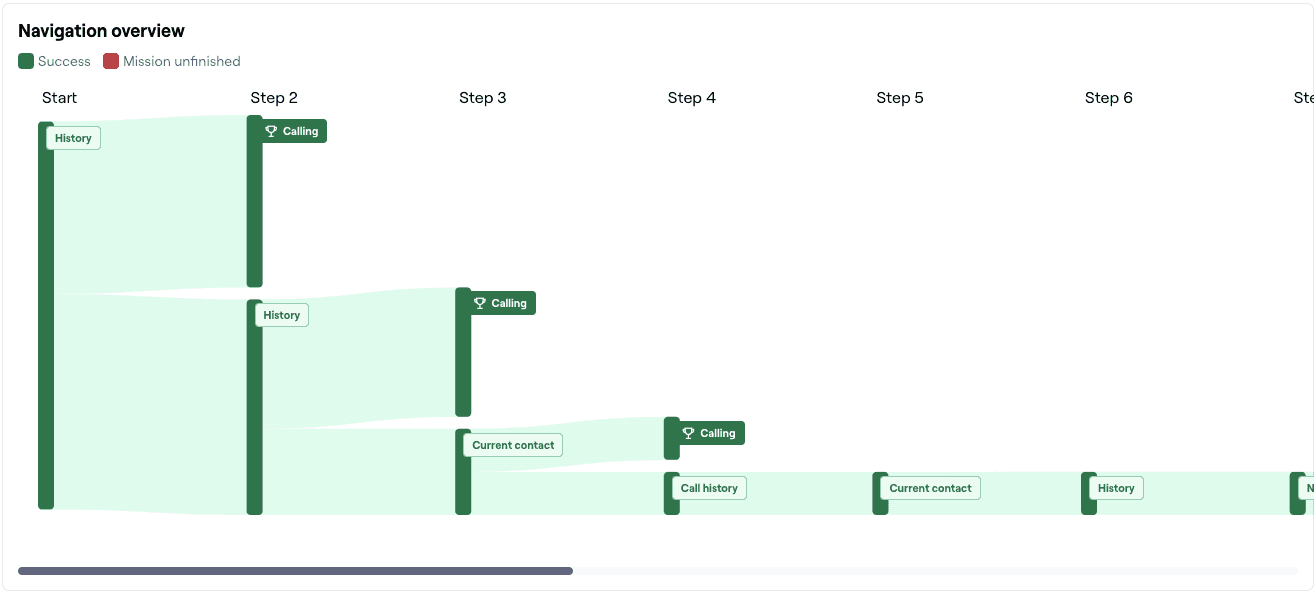
However, they kept clicking on “edit” on the call history page, which was an area that we needed to account for.


VII. Edge Cases

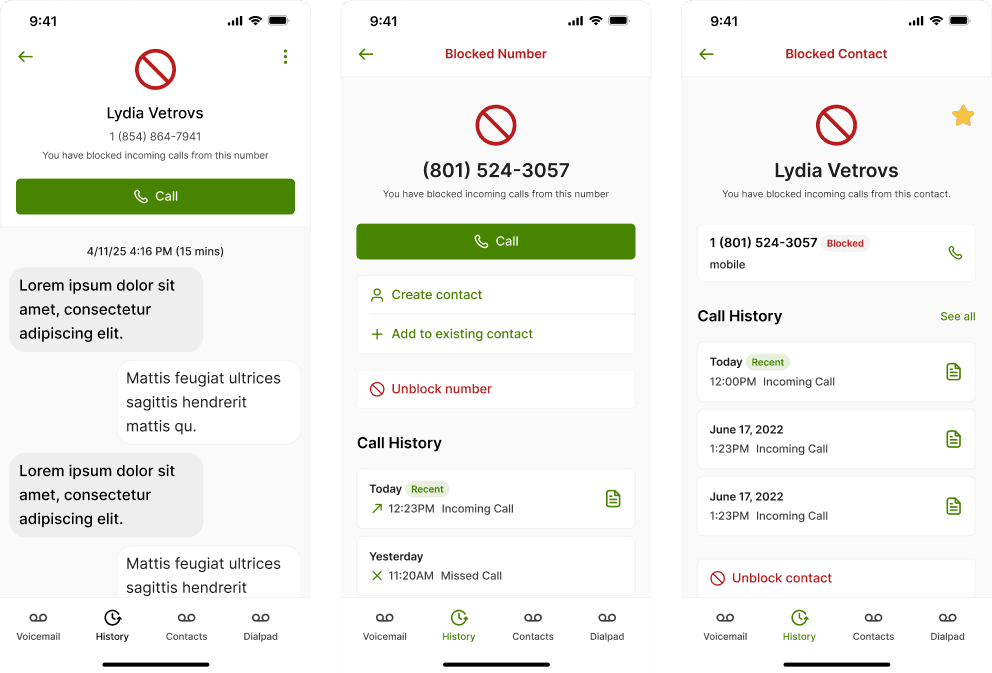
Live
+15%
engagement
+30%
click increase
VIII. Retrospective
WHAT I LEARNED
Usability testing, User testing, Collaborating with Internal Employees for testing, Iterative design

RETROSPECTIVE
To further improve call history, we considered grouping multiple calls from the same contact into one entry (e.g., John Doe (3)). However, due to developer limitations, this wasn’t possible for this release. We aim to revisit it in a future update.

